

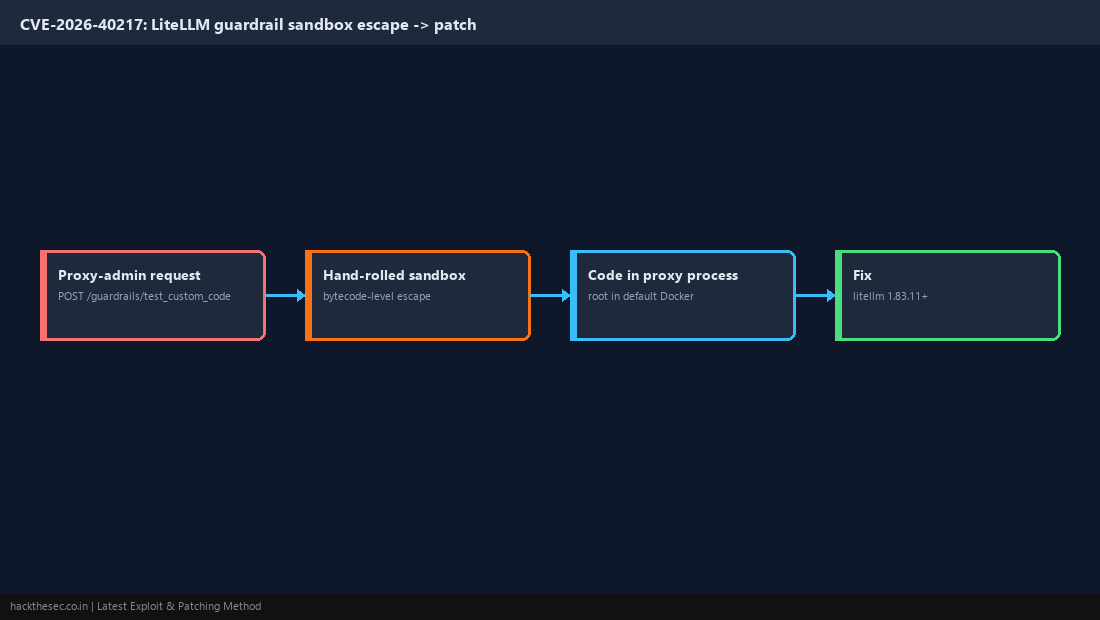
⚠ HIGH PRIORITY — added to CISA KEV on Nov 18, 2026 (federal due date Dec 2, 2026). CVE-2026-40217 affects LiteLLM, the popular proxy/gateway that sits in front of OpenAI, Anthropic and other LLM APIs. The POST /guardrails/test_custom_code endpoint runs user-supplied Python inside a hand-rolled sandbox that can be escaped with bytecode-level tricks, giving code execution inside the proxy process — which runs as root in the default Docker image.
The GitHub advisory scores it only CVSS 4.0: 5.9 Moderate, because reaching the endpoint needs a proxy-admin credential in default setups. Do not let the score lull you: it is confirmed exploited in the wild, and a LiteLLM proxy usually holds every upstream API key your organisation has.
Affected and fixed versions
- Affected:
litellm>= 1.81.8 and < 1.83.10 - Fixed: upgrade to 1.83.11 or later (the advisory text names 1.83.11, where the sandbox was replaced with RestrictedPython)
Check your version
pip show litellm | grep -i version
# Docker
docker exec <litellm-container> pip show litellm | grep -i version
Patching Method
# pip install
pip install --upgrade "litellm[proxy]>=1.83.11"

# Docker: pull an image tagged 1.83.11 or newer, then recreate the container
docker compose pull && docker compose up -d- Pin the version in
requirements.txtor your compose file so a rebuild cannot roll back. - Restart the proxy and confirm the version again.
- If the admin UI or master key was ever exposed, rotate the LiteLLM master key and every upstream provider API key stored in the proxy.
Workaround until patched
Block the endpoint at your reverse proxy or API gateway, as the advisory recommends:
# nginx
location = /guardrails/test_custom_code {
    return 403;
}- Keep the LiteLLM admin UI and management routes off the public internet.
- Run the container as a non-root user where your deployment allows it.