

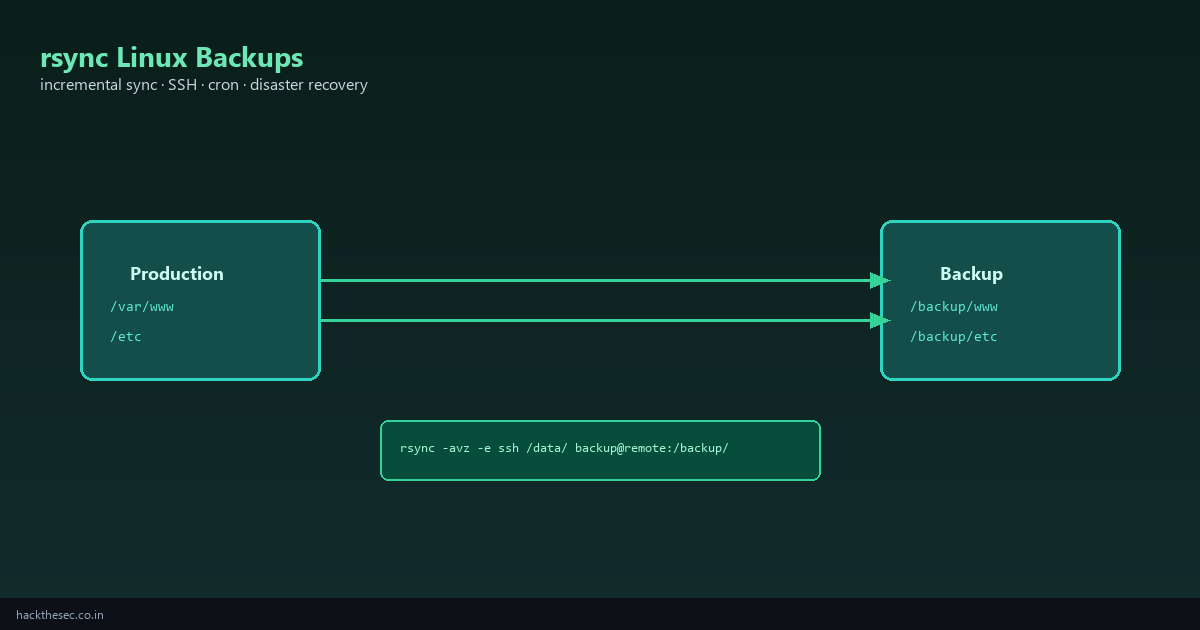
Every Linux server needs backups. rsync is the standard tool for incremental file sync — copy only what changed, over local disks or SSH, with resume support and exclude patterns.
This guide covers local backups, remote SSH sync, production backup scripts, automation with cron and systemd timers, and the mistakes that cause data loss.
Time required: 30–45 minutes. Prerequisite: SSH key access to remote backup server (see our SSH keys guide).
Table of contents
- Why rsync for Linux backups
- rsync flags explained (-a, -v, -z, --delete)
- Local backup example
- Remote backup over SSH
- Exclude patterns and include files
- Production backup script
- Automate with cron
- Automate with systemd timer
- Verify backups and restore test
- Common mistakes
1. Why rsync
- Incremental: transfers only changed blocks — fast daily backups
- Preserves permissions: with
-a(archive mode) - SSH built-in: encrypted remote sync with
-e ssh - Resume: interrupted transfers can continue
- Pre-installed on virtually every Linux distro
2. Essential flags
| Flag | Meaning |
|---|---|
-a | Archive — permissions, times, symlinks, recursive |
-v | Verbose — show files transferred |
-z | Compress during transfer (good over WAN) |
-h | Human-readable sizes in output |
--delete | Delete files on destination not in source (mirror) |
--dry-run | Preview without copying — always test first |
--exclude | Skip paths (cache, tmp, logs) |
3. Local backup
# Backup /var/www to external mount
sudo rsync -avh /var/www/ /mnt/backup/www/

# Trailing slash matters!
# /var/www/  → contents of www go into destination
# /var/www   → www directory itself created inside destination

# Dry run first
sudo rsync -avh --dry-run /var/www/ /mnt/backup/www/
4. Remote backup over SSH
# Push local data to remote backup server
rsync -avz -e ssh /var/www/ backup@192.168.1.50:/backup/www/

# With specific SSH key
rsync -avz -e "ssh -i ~/.ssh/id_ed25519_backup" \
  /etc/ backup@192.168.1.50:/backup/etc/

# Pull from remote to local (restore scenario)
rsync -avz -e ssh backup@192.168.1.50:/backup/www/ /var/www-restored/
5. Exclude patterns
# Command-line excludes
rsync -avz --exclude='*.log' --exclude='cache/' --exclude='tmp/' \
  /var/www/ backup@remote:/backup/www/

# Exclude file (recommended for complex lists)
cat > /etc/rsync-excludes.txt <<'EOF'
*.log
cache/
tmp/
node_modules/
.git/
EOF

rsync -avz --exclude-from=/etc/rsync-excludes.txt \
  /var/www/ backup@remote:/backup/www/
6. Production backup script
#!/bin/bash
# /usr/local/bin/backup-www.sh
set -euo pipefail

SRC="/var/www/"
DEST="backup@192.168.1.50:/backup/www/"
SSH_KEY="/root/.ssh/id_ed25519_backup"
LOG="/var/log/rsync-backup.log"
EXCLUDES="/etc/rsync-excludes.txt"

echo "=== Backup started $(date) ===" >> "$LOG"

rsync -avz --delete \
  --exclude-from="$EXCLUDES" \
  -e "ssh -i $SSH_KEY -o StrictHostKeyChecking=yes" \
  "$SRC" "$DEST" >> "$LOG" 2>&1

echo "=== Backup finished $(date) ===" >> "$LOG"
sudo chmod 700 /usr/local/bin/backup-www.sh
sudo chmod 600 /root/.ssh/id_ed25519_backup7. Automate with cron
# Run daily at 2:30 AM
sudo crontab -e

30 2 * * * /usr/local/bin/backup-www.sh

# Weekly full etc backup Sundays 3 AM
0 3 * * 0 rsync -avz -e "ssh -i /root/.ssh/id_ed25519_backup" /etc/ backup@remote:/backup/etc/
8. Automate with systemd timer
# /etc/systemd/system/backup-www.service
[Unit]
Description=rsync www backup

[Service]
Type=oneshot
ExecStart=/usr/local/bin/backup-www.sh

# /etc/systemd/system/backup-www.timer
[Unit]
Description=Daily www backup

[Timer]
OnCalendar=*-*-* 02:30:00
Persistent=true

[Install]
WantedBy=timers.target
sudo systemctl daemon-reload
sudo systemctl enable --now backup-www.timer
systemctl list-timers | grep backup9. Verify and restore test
# Compare source and destination file counts
find /var/www -type f | wc -l
ssh backup@remote 'find /backup/www -type f | wc -l'

# Monthly restore drill — pull one file back
rsync -avz -e ssh backup@remote:/backup/www/index.html /tmp/restore-test/

# Check backup log for errors
grep -i error /var/log/rsync-backup.log
10. Common mistakes
- Missing trailing slash: backs up wrong directory structure
- --delete without testing: can wipe backup if source path is wrong — always dry-run first
- Backing up running databases with rsync alone: use
mysqldumporpg_dumpfor DB data, rsync for files - No restore test: backups you never restore are faith, not strategy
- Root SSH login for backups: use a dedicated
backupuser with restricted authorized_keys command= option
Bottom line: rsync -avz -e ssh plus a daily cron or systemd timer is the simplest reliable backup stack for Linux file data. Test with --dry-run, exclude caches, and verify restores monthly.