

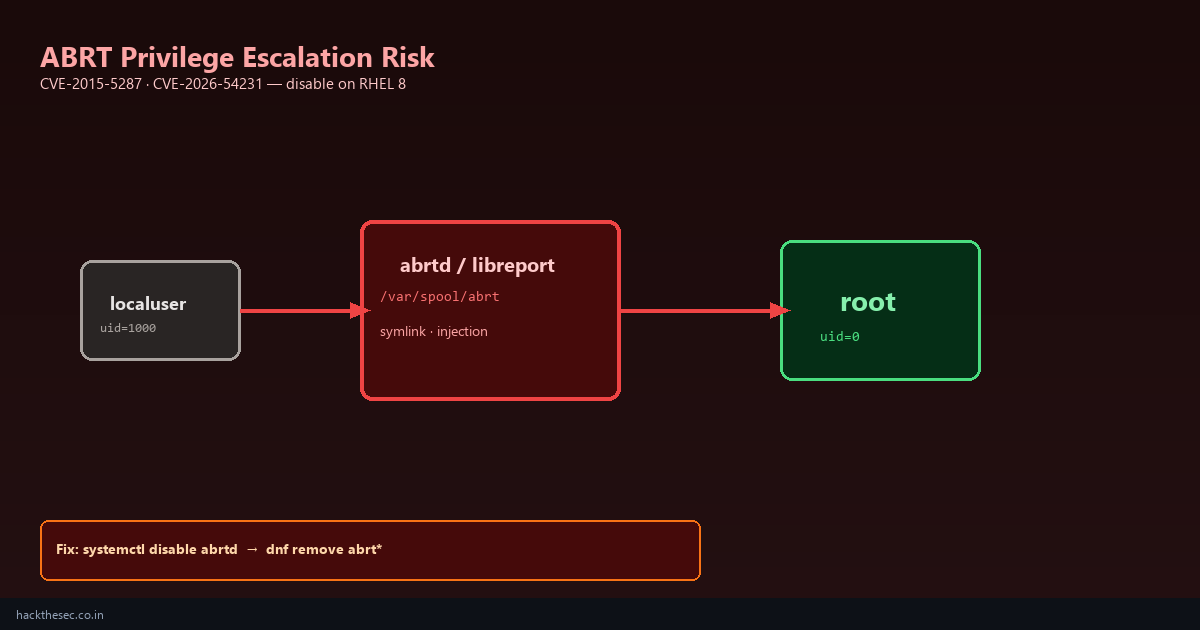
ABRT (Automatic Bug Reporting Tool) was designed to collect crash dumps and send them to bug trackers. On RHEL 8 and Fedora it has become a recurring local privilege escalation surface — including CVE-2015-5287 (symlink race) and CVE-2026-54231 (libreport content injection).
Red Hat deprecated ABRT in RHEL 9. If you still run RHEL 8 in production, the safest posture is not “patch and forget” — it is disable abrtd, remove ABRT packages, and use systemd-coredump instead.
This guide walks through detection, safe removal, replacement crash handling, and verification. It complements our ABRT CVE exploit posts with hands-on admin steps.
Time required: 20–30 minutes per server. Impact: no more ABRT crash reports to Red Hat — use alternative monitoring.
Table of contents
- Why ABRT is a security risk on RHEL 8
- Check if ABRT is installed and running
- Understand ABRT services and file paths
- Disable ABRT services safely
- Remove ABRT packages completely
- Replace with systemd-coredump
- Audit /var/spool/abrt for leftover data
- Fleet-wide removal with Ansible
- Verify ABRT is gone
- When you might keep ABRT (rare)
1. Why ABRT is a security risk
ABRT runs privileged components that process crash data from unprivileged users. Historical and recent CVEs allow:
- Symlink attacks in
/var/spool/abrt→ write files as root - Script injection via crafted crash metadata → execute commands as abrt/root
- Information disclosure via world-readable crash directories
Attackers with any local shell (compromised web app, stolen SSH key, container breakout) can chain ABRT bugs to uid=0. Removing ABRT eliminates an entire privilege-escalation class on legacy RHEL 8 fleets.
2. Check if ABRT is installed
# Package check
rpm -q abrt abrt-addon-ccpp abrt-addon-kerneloops libreport 2>/dev/null

# Service status
systemctl status abrtd abrt-journal-core abrt-oops abrt-xorg 2>/dev/null
systemctl is-enabled abrtd 2>/dev/null

# Running processes
ps aux | grep -E '[a]brt|[l]ibreport'

# Spool directory
ls -la /var/spool/abrt/ 2>/dev/null
find /var/spool/abrt -type l 2>/dev/null   # suspicious symlinks
If rpm -q abrt returns a version string and abrtd is active (running), proceed with removal.
3. ABRT services and paths
| Service | Purpose |
|---|---|
abrtd.service | Main ABRT daemon |
abrt-journal-core.service | Journal-based crash capture |
abrt-oops.service | Kernel oops handling |
abrt-xorg.service | X.org crash handling |
abrt-vmcore.service | VM core processing |
Key directories:
/var/spool/abrt/— crash dump storage (CVE symlink target)/etc/libreport/— event handler scripts (CVE injection target)/usr/libexec/abrt-*— helper binaries
4. Disable ABRT services
Stop and disable all ABRT units before removing packages:
sudo systemctl stop abrtd abrt-journal-core abrt-oops abrt-xorg abrt-vmcore 2>/dev/null

sudo systemctl disable abrtd abrt-journal-core abrt-oops abrt-xorg abrt-vmcore 2>/dev/null

# Mask to prevent accidental re-enable
sudo systemctl mask abrtd abrt-journal-core abrt-oops abrt-xorg 2>/dev/null

# Confirm nothing running
systemctl list-units 'abrt*' --all
On systems with authselect or SELinux enforcing, no special prep is needed — disabling services is immediate.
5. Remove ABRT packages
# List all abrt-related RPMs
rpm -qa | grep -E '^abrt|^libreport' | sort

# Remove ABRT stack (adjust list if rpm -qa shows extras)
sudo dnf remove -y 'abrt*' 'libreport*'

# Or conservative — remove core only
sudo dnf remove -y abrt abrt-addon-ccpp abrt-addon-kerneloops abrt-cli \
  libreport libreport-cli libreport-plugin-logger libreport-plugin-systemd-journal

# Verify removal
rpm -q abrt 2>&1 | grep 'not installed'
Note: sosreport and support tooling are separate — removing ABRT does not remove sos. You can still run sosreport for Red Hat support cases.
6. Replace with systemd-coredump
RHEL 8+ ships systemd-coredump as the modern replacement:
# Install if missing
sudo dnf install systemd-udev -y   # usually pre-installed

# Enable coredump collection
sudo systemctl enable --now systemd-coredump.socket

# Configure storage limits
sudo tee /etc/systemd/coredump.conf.d/custom.conf <<'EOF'
[Coredump]
Storage=external
Compress=yes
ProcessSizeMax=2G
ExternalSizeMax=2G
EOF

sudo systemctl restart systemd-coredump.socket
Retrieve crash dumps:
# List recent coredumps
coredumpctl list

# Info on specific dump
coredumpctl info [PID]

# Export for analysis
coredumpctl dump [PID] -o /tmp/core.dump
systemd-coredump stores under /var/lib/systemd/coredump/ with stricter permissions than legacy ABRT spool directories.
7. Audit and clean /var/spool/abrt
# Check for leftover files and symlinks BEFORE deletion
sudo find /var/spool/abrt -ls 2>/dev/null
sudo find /var/spool/abrt -type l -ls 2>/dev/null

# If ABRT packages removed, delete spool entirely
sudo rm -rf /var/spool/abrt

# Audit libreport config remnants
sudo rm -rf /etc/libreport /var/cache/libreport 2>/dev/null

# Check cron entries
grep -r abrt /etc/cron.* /etc/cron.d/ 2>/dev/null
If you find unexpected symlinks in the spool directory during audit, treat it as a potential compromise indicator — preserve evidence before deletion.
8. Fleet removal with Ansible
- hosts: rhel8_servers
  become: true
  tasks:
    - name: Stop and disable ABRT services
      ansible.builtin.systemd:
        name: "{{ item }}"
        state: stopped
        enabled: false
        masked: true
      loop:
        - abrtd
        - abrt-journal-core
        - abrt-oops
        - abrt-xorg
      ignore_errors: true

    - name: Remove ABRT packages
      ansible.builtin.dnf:
        name: "abrt*"
        state: absent

    - name: Ensure systemd-coredump socket enabled
      ansible.builtin.systemd:
        name: systemd-coredump.socket
        enabled: true
        state: started
9. Verify ABRT is gone
rpm -q abrt 2>&1
systemctl status abrtd 2>&1
ps aux | grep abrt | grep -v grep
ls /var/spool/abrt 2>&1

# All should report: not installed / not found / inactive
Add a compliance check to your monthly audit:
#!/bin/bash
if rpm -q abrt &>/dev/null; then
  echo "FAIL: ABRT still installed on $(hostname)"
  exit 1
fi
echo "OK: ABRT absent on $(hostname)"
10. When you might keep ABRT (rare)
Only keep ABRT if:
- Red Hat support explicitly requires it for an open active case
- You are on a fully patched version AND have compensating controls (no local users, locked-down SELinux)
Even then, prefer systemd-coredump and migrate to RHEL 9 where ABRT is removed entirely. For internet-facing RHEL 8 web servers, database hosts, and multi-tenant systems — remove ABRT immediately.
Bottom line: ABRT is legacy crash tooling with a long CVE history. Disable abrtd, remove packages, switch to systemd-coredump, and audit /var/spool/abrt. This closes the privilege-escalation path documented in our ABRT exploit coverage.