

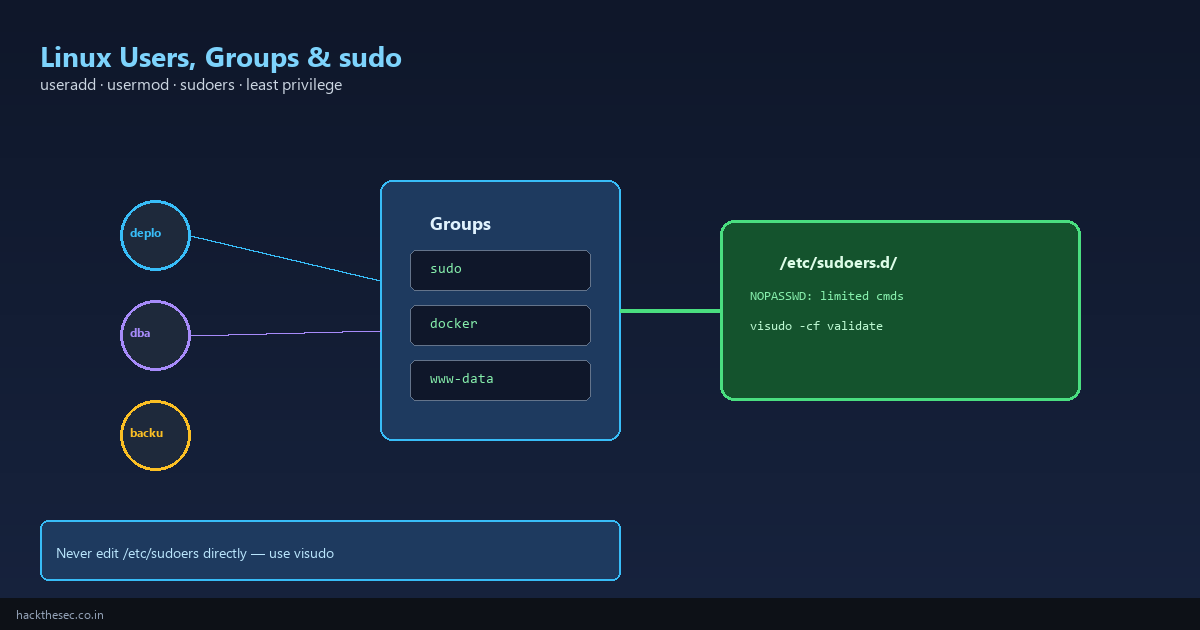
Every Linux server has human admins, deploy users, database accounts, and service identities. Mismanaged users are a security risk: shared root passwords, everyone in the sudo group, or world-writable cron jobs.
This guide covers creating users, managing groups, configuring sudo with least privilege, locking accounts, and auditing who can run what — on Ubuntu and RHEL-family systems.
Time required: 35–50 minutes.
Table of contents
- User and group files (/etc/passwd, /etc/group)
- Create, modify, and delete users
- Group management and supplementary groups
- Password policies and account locking
- sudo basics and /etc/sudoers.d/
- Least-privilege sudo examples
- SSH access per user
- Auditing and troubleshooting
1. User and group files
# User database
getent passwd deploy
# deploy:x:1001:1001:Deploy User:/home/deploy:/bin/bash
#  ↑username ↑uid ↑gid ↑gecos      ↑home        ↑shell

# Group database
getent group docker
# docker:x:993:deploy,www-data

# Shadow (password hashes) — root only
sudo getent shadow deploy
2. Create, modify, and delete users
Ubuntu / Debian:
# Create user with home directory and bash shell
sudo adduser deploy

# Non-interactive (scripts)
sudo useradd -m -s /bin/bash -c "Deploy account" deploy
sudo passwd deploy
RHEL / Alma / Rocky:
sudo useradd -m -s /bin/bash deploy
sudo passwd deploy
Modify existing user:
sudo usermod -aG docker deploy      # append to supplementary group
sudo usermod -s /usr/sbin/nologin olduser   # disable shell login
sudo usermod -L lockeduser          # lock password (prefix ! in shadow)
sudo usermod -U lockeduser          # unlock
sudo chage -l deploy                # password aging policy
Delete user (keep or remove home):
sudo userdel deploy           # keeps /home/deploy
sudo userdel -r deploy        # removes home and mail spool
3. Group management
sudo groupadd developers
sudo groupadd -g 1500 appusers    # specific GID for NFS consistency
sudo gpasswd -a deploy developers
sudo gpasswd -d deploy developers  # remove from group

# List groups for current user
groups
id deploy
Primary vs supplementary group: files created by deploy inherit the primary GID (set with usermod -g). Supplementary groups (-aG) grant access to shared resources like docker socket or www-data web roots.
4. Password policies
# Set password expiry: max 90 days, warn 14 days before
sudo chage -M 90 -W 14 deploy

# Force change on next login
sudo chage -d 0 deploy

# RHEL: install pwquality for complexity rules
sudo dnf install libpwquality
# Edit /etc/security/pwquality.conf — minlen=12, dcredit=-1, etc.
5. sudo basics
Never edit /etc/sudoers directly. Always use visudo or drop files in /etc/sudoers.d/.
# Full sudo (Ubuntu adds user to group sudo; RHEL uses group wheel)
sudo usermod -aG sudo deploy      # Debian/Ubuntu
sudo usermod -aG wheel deploy     # RHEL/Alma

# Validate sudoers syntax
sudo visudo -cf /etc/sudoers
sudo visudo -cf /etc/sudoers.d/deploy
6. Least-privilege sudo examples
Create /etc/sudoers.d/deploy with visudo -f /etc/sudoers.d/deploy:
# Allow deploy to restart nginx only
deploy ALL=(root) NOPASSWD: /bin/systemctl restart nginx, /bin/systemctl reload nginx

# Allow dba to run postgres commands as postgres user
dba ALL=(postgres) NOPASSWD: /usr/bin/psql, /usr/bin/pg_dump

# Deny dangerous commands explicitly (use with care)
# Defaults!deploy !requiretty
# File permissions on sudoers.d snippets — REQUIRED
sudo chmod 0440 /etc/sudoers.d/deploy
sudo chown root:root /etc/sudoers.d/deployTest before closing your root session:
su - deploy
sudo -l                    # list allowed commands
sudo systemctl restart nginx
sudo systemctl restart sshd  # should FAIL if not in sudoers
7. SSH access per user
# Allow only specific users (in /etc/ssh/sshd_config.d/99-users.conf)
AllowUsers deploy dba backup
# Or groups:
# AllowGroups ssh-users

sudo systemctl reload sshd
Combine with SSH keys (see our Ed25519 guide) and disable root login:
PermitRootLogin no
PasswordAuthentication no
8. Auditing and troubleshooting
# Who is logged in
who
last -20

# sudo command log (RHEL/Debian)
sudo grep sudo /var/log/auth.log          # Debian
sudo grep sudo /var/log/secure            # RHEL
sudo journalctl -t sudo --since today

# Find UID 0 accounts (besides root)
awk -F: '$3==0 {print}' /etc/passwd

# Find users with empty passwords
sudo awk -F: '($2=="" ) {print $1}' /etc/shadow| Issue | Cause / fix |
|---|---|
deploy is not in the sudoers file | User not in sudo/wheel group or missing sudoers.d file |
sudo: /etc/sudoers.d/deploy is world writable | chmod 0440 required |
| Group change not effective | User must log out and back in; or newgrp docker |
| Cannot delete user (processes running) | sudo pkill -u deploy; sudo userdel -r deploy |
Good user hygiene: individual accounts (no shared logins), sudo for specific commands, disable unused accounts, and review sudo logs monthly.