

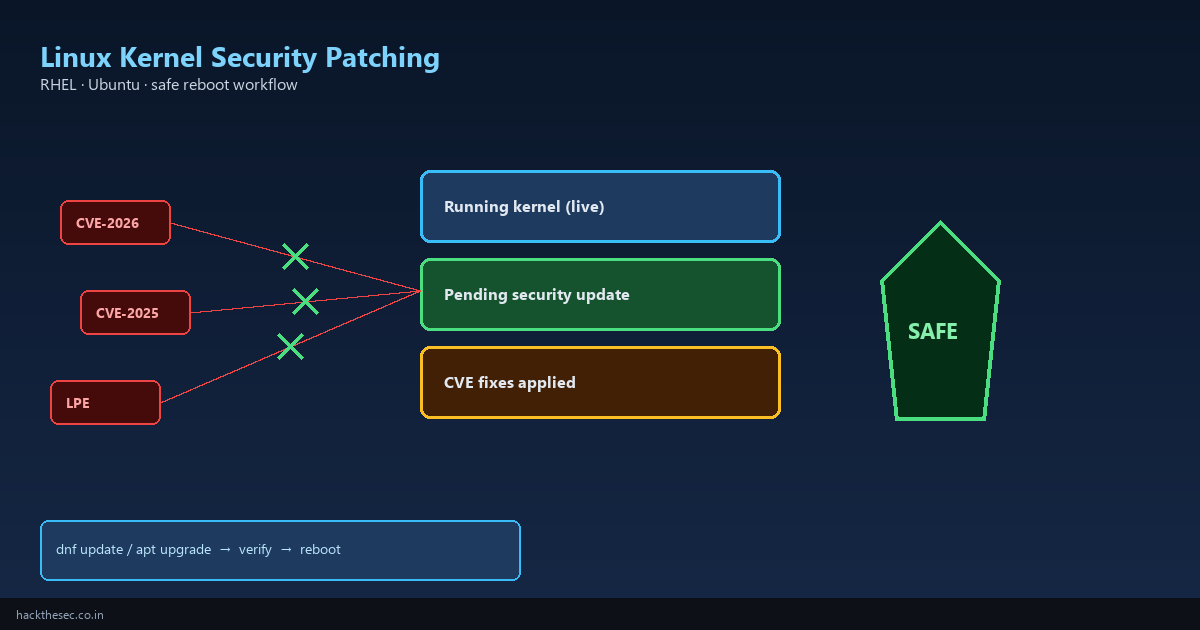
Kernel vulnerabilities are among the most dangerous findings in a security audit. A single unpatched local privilege escalation (LPE) or container escape CVE can turn a low-privilege shell into full root — even on servers that are otherwise well hardened.
If you follow our exploit coverage on hackthesec.co.in, you already know the risk. This guide is the operational counterpart: how to patch the Linux kernel safely on RHEL / AlmaLinux / Rocky and Ubuntu / Debian without surprise downtime, broken drivers, or half-applied updates.
Time required: 45–90 minutes per server (including maintenance window). Applies to: bare metal, VMs, and cloud instances running production workloads.
Table of contents
- Why kernel patches matter (and when reboot is mandatory)
- Pre-patch inventory and risk assessment
- Patch workflow overview (safe order of operations)
- RHEL / AlmaLinux / Rocky — dnf and kpatch
- Ubuntu / Debian — apt and livepatch
- Verify the patch actually took effect
- Plan and execute a safe reboot
- Rollback if something breaks
- Fleet patching with Ansible (optional)
- Common mistakes and troubleshooting
1. Why kernel patches matter
Unlike application updates, a kernel security fix changes the running OS core. Most kernel CVE fixes require a reboot to become active — the vulnerable code stays in memory until the system loads a new kernel image.
- Local privilege escalation: any user with shell access can exploit until patched + rebooted
- Network-facing bugs: NFS, IPv6, netfilter flaws may be remotely triggerable
- Container hosts: kernel bugs often break container isolation — patch the host, not just images
Live patching (kpatch, Canonical Livepatch) can bridge urgent gaps, but it does not replace full kernel upgrades for every CVE. Treat livepatch as a temporary measure.
2. Pre-patch inventory
Before touching production, document what is running:
# Current kernel
uname -r
uname -a

# Installed kernel packages
# RHEL family
rpm -q kernel kernel-core kernel-modules

# Debian/Ubuntu
dpkg -l 'linux-image-*' 'linux-headers-*' | grep ^ii

# Pending security updates
sudo dnf updateinfo list security          # RHEL
sudo apt list --upgradable 2>/dev/null | grep -i linux-image  # Ubuntu
Also note:
- Custom kernel modules (NVIDIA, ZFS, DKMS) — may need rebuild after upgrade
- Clustered services (Pacemaker, Kubernetes control plane) — patch nodes one at a time
- Bootloader config (
/boot/grub2/grub.cfgor/boot/grub/grub.cfg)
3. Safe patch workflow
- Snapshot or backup VM / volume (cloud snapshot, LVM snapshot, or full backup)
- Read the security advisory — confirm affected versions and required reboot
- Test on a staging server with the same OS version and kernel line
- Schedule a maintenance window; notify stakeholders
- Install kernel package on production
- Verify new kernel is installed in
/boot - Reboot into new kernel during the window
- Post-reboot validation: services, monitoring, kernel version
- Remove old kernel packages only after 24–48 hours of stable operation
Golden rule: never reboot the only admin access path without a cloud serial console or IPMI backup.
4. RHEL / AlmaLinux / Rocky — dnf patch
# 1. List security advisories affecting this host
sudo dnf updateinfo list security
sudo dnf updateinfo info SECURITY-2026:XXXX  # replace with advisory ID

# 2. Dry-run — see what would change
sudo dnf update --security --assumeno

# 3. Install security updates (kernel included)
sudo dnf update --security -y

# 4. Confirm new kernel RPM installed
rpm -q kernel --last | head -5
ls -lt /boot/vmlinuz-* | head -3
On RHEL 8+, kernel meta-package is often kernel-core:
sudo dnf install kernel kernel-core kernel-modules -y
sudo grubby --info=ALL | grep -E '^kernel|^index'
sudo grubby --set-default-index=0   # only if newest kernel is index 0
Live kernel patching with kpatch (RHEL)
For critical CVEs between reboot windows, RHEL offers kpatch:
sudo dnf install kpatch kpatch-dnf
sudo dnf kpatch update
sudo systemctl enable --now kpatch
sudo kpatch list
kpatch applies in-memory fixes for specific CVEs. It does not replace a full dnf update + reboot cycle — schedule both.
5. Ubuntu / Debian — apt patch
# Refresh package lists
sudo apt update

# List upgradable kernel images
apt list --upgradable 2>/dev/null | grep -E 'linux-image|linux-headers'

# Install security updates only
sudo apt upgrade -y
# Or minimal: install specific HWE/generic kernel metapackage
sudo apt install --only-upgrade linux-image-generic linux-headers-generic -y
Ubuntu LTS with HWE stack:
uname -r
apt policy linux-image-generic-hwe-22.04
sudo apt install linux-image-generic-hwe-22.04 -y
Canonical Livepatch (Ubuntu)
sudo snap install canonical-livepatch
sudo canonical-livepatch status
sudo canonical-livepatch enable [TOKEN]
Livepatch covers select high-severity CVEs without immediate reboot. Still reboot during your next maintenance window.
6. Verify the patch took effect
Installing the package is not enough — confirm the running kernel:
# Before reboot — new kernel waiting in /boot
uname -r                    # OLD kernel still running
ls -lt /boot/vmlinuz-* | head -1

# After reboot
uname -r                    # should match newest /boot/vmlinuz-*
cat /proc/version

# RHEL — confirm default boot entry
sudo grubby --default-kernel

# Ubuntu — check /var/run/reboot-required
cat /var/run/reboot-required 2>/dev/null || echo 'No reboot flag'
Cross-check against the CVE advisory minimum fixed version. If uname -r is still below the fixed version, you booted the wrong kernel entry.
7. Plan and execute a safe reboot
# Drain workloads first (examples)
sudo kubectl drain node1 --ignore-daemonsets --delete-emptydir-data  # K8s worker
sudo pcs node standby node1                                            # Pacemaker

# Sync disks
sync

# Reboot
sudo shutdown -r +1 'Kernel security patch — reboot in 1 min'  # gives time to cancel
# Or immediate:
sudo reboot
After reboot, validate:
- SSH login works
- Critical services:
systemctl is-system-running, web stack, database - Monitoring agents reconnected
uname -rshows patched kernel
8. Rollback if something breaks
If the new kernel panics or breaks a driver, boot the previous kernel from GRUB (Advanced options → older kernel), then pin the old version:
# RHEL — set previous kernel as default
sudo grubby --info=ALL
sudo grubby --set-default /boot/vmlinuz-5.14.0-427.28.1.el9_4.x86_64
sudo reboot

# Ubuntu — hold packages temporarily
sudo apt-mark hold linux-image-generic linux-headers-generic
Investigate DKMS module rebuild:
sudo dkms status
sudo dkms autoinstall -k $(uname -r)
9. Fleet patching with Ansible (optional)
# playbook snippet — security updates + reboot if required
- hosts: linux_servers
  become: true
  tasks:
    - name: Install security updates (RHEL)
      ansible.builtin.dnf:
        name: '*'
        security: true
        state: latest
      when: ansible_os_family == 'RedHat'

    - name: Install security updates (Debian)
      ansible.builtin.apt:
        upgrade: dist
        update_cache: true
      when: ansible_os_family == 'Debian'

    - name: Reboot if required
      ansible.builtin.reboot:
        reboot_timeout: 600
      when: reboot_required_file.stat.exists
Patch in waves: canary → 10% → 50% → remainder. Never reboot all nodes simultaneously.
10. Common mistakes
- Assuming apt/dnf finished means you are patched: reboot required for kernel
- Deleting old kernels before validation: keep one previous kernel as rollback
- Skipping staging: ZFS/NVIDIA/custom modules break on new kernels often
- Patching containers but not hosts: container escape CVEs hit the host kernel
- No maintenance window on databases: unclean shutdown risks corruption — drain first
Bottom line: treat kernel CVEs as P1. Inventory versions, install security updates, reboot deliberately, verify uname -r, and keep a rollback kernel. Pair this with our CVE exploit posts — patch what attackers already know how to hit.